learning design room design
Using furniture to design for success
How room design shapes the learning experience.
By Diane Nguyen · First shared November 23, 2026 · 4-minute read
A room that felt like school
In spring 2026, COOP Careers partnered with a university partner in the Bay Area on a pilot. Instead of our usual 16-week program, we ran a 2-week, in-person sprint for rising seniors from the CSU system, with full days of learning instead of our regular 3-hour blocks.
I wasn’t on the team that launched the pilot, but I was invited to observe the space and the learning, and I said yes. Even when I’m not involved in a project, I like to understand how my organization works as an ecosystem: what we’re testing, and what we’re trying to answer. Our part-time staff weren’t trained for this initiative, so I wanted to see what could apply when we run in-person sessions or train our part-time staff.
About 40 learners sat in one of the university’s labs, set up lecture style: a projector screen at the front and about 6 rows of tables facing it. During the lecture, I noticed no one was really volunteering to share. Lecture style feels very school, like a college classroom. But we’re a community-based program. How do you make people comfortable sharing out and talking to each other in that setting?
What makes COOP different from sitting in a regular CSU class? If the room looks like a college lecture, the experience feels like one.
So I asked the program manager whether they were thinking about playing with the space to make it more engaging.
Three ways I’d rearrange the room
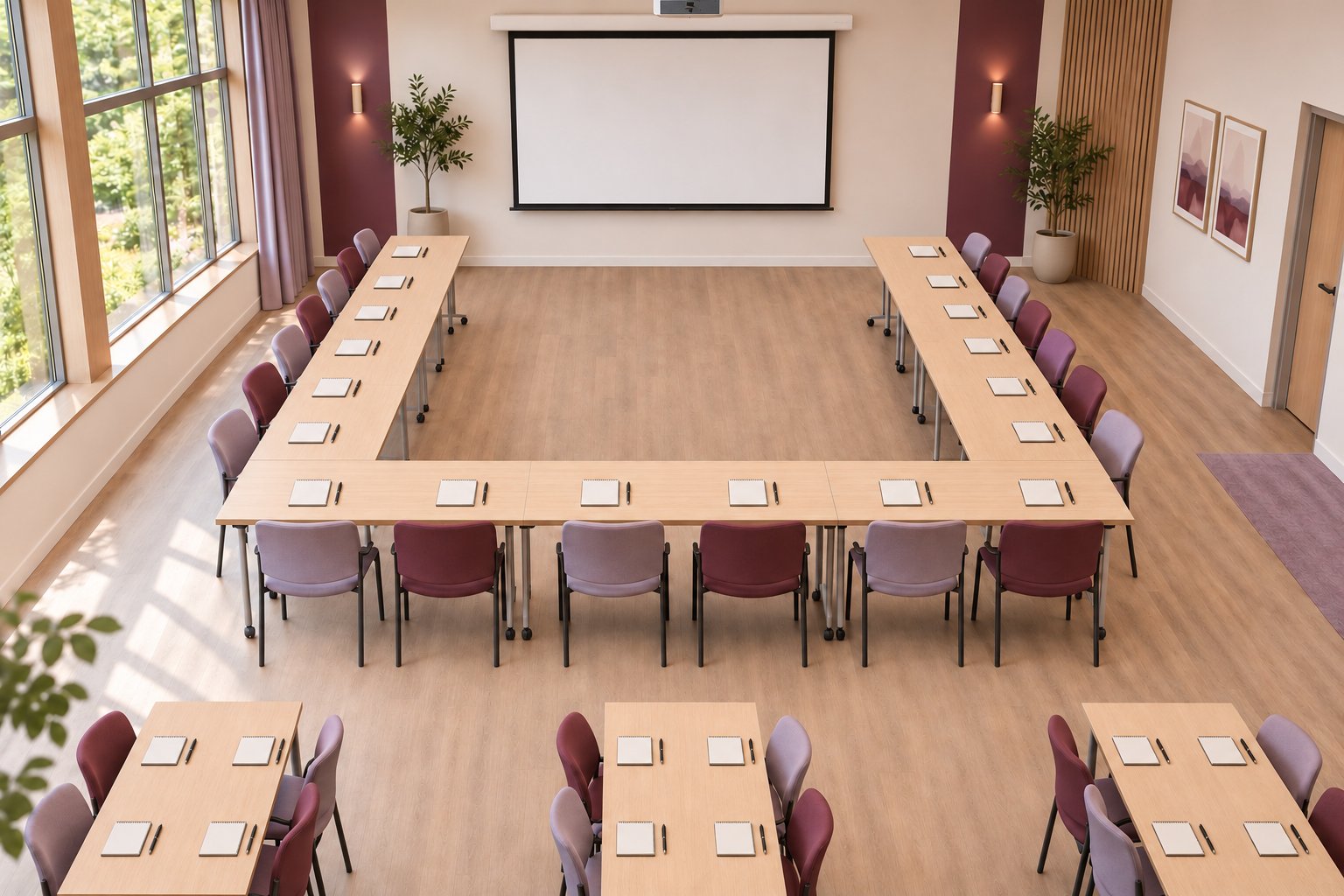
The right setup depends on the topic and activity of the day. Here’s the room as it was, and 3 layouts I recommended.
Interactive · click a layout to see the room
The room as it was
Before: lecture rows
Not to scale. Each circle is one learner; the diamond is the facilitator.
Rows of tables face the screen, so everyone looks forward and the facilitator stays at the front. It works for listening, but it feels like a college lecture. In our session, no one volunteered to share.
More tips for setting up a room
- Put food in the middle. Snacks within reach help people settle in and feel comfortable, going back to Maslow’s hierarchy of needs.
- Plan around hands-on activities. If learners will build or create something, let that shape the layout. Pods work well when a group shares one task.
- Check that the space is accessible. Make sure the room is big enough to arrange things the way you want, with clear paths to move around.
- Offer seats up front. Invite anyone who is hard of hearing or has trouble seeing the screen to sit near the front.
What happened
The program manager wasn’t able to try these. I think there was some resistance to change: it felt like too much work to set up, and they didn’t want to rearrange the university’s tables.
But I’ve seen it work. On Saturdays, I volunteer with a nonprofit that supports college readiness, and our sessions are lecture style, too. I recommended the U, and engagement went up a lot. The facilitator walked around inside the U and used an object to invite volunteers. Our learners are high schoolers, which can make participation harder, but the session became a discussion rather than a lecture.
I’m also building in-person training for our part-time staff right now, and room design is something I want to test. If you read Playing as an adult, you’ve already seen one layout I used.
The takeaway
Online, learning usually happens on Zoom, in breakout rooms. In person, you can have fun with the space: explore, test things out, and see how much the room design shapes everything.
Think about how you design your home. There are so many places you can put a couch. Is it facing the TV, or not? What do you want the experience to be? Learning design works the same way. There are many ways to set up a room, so start with the experience you want your learners to have.